
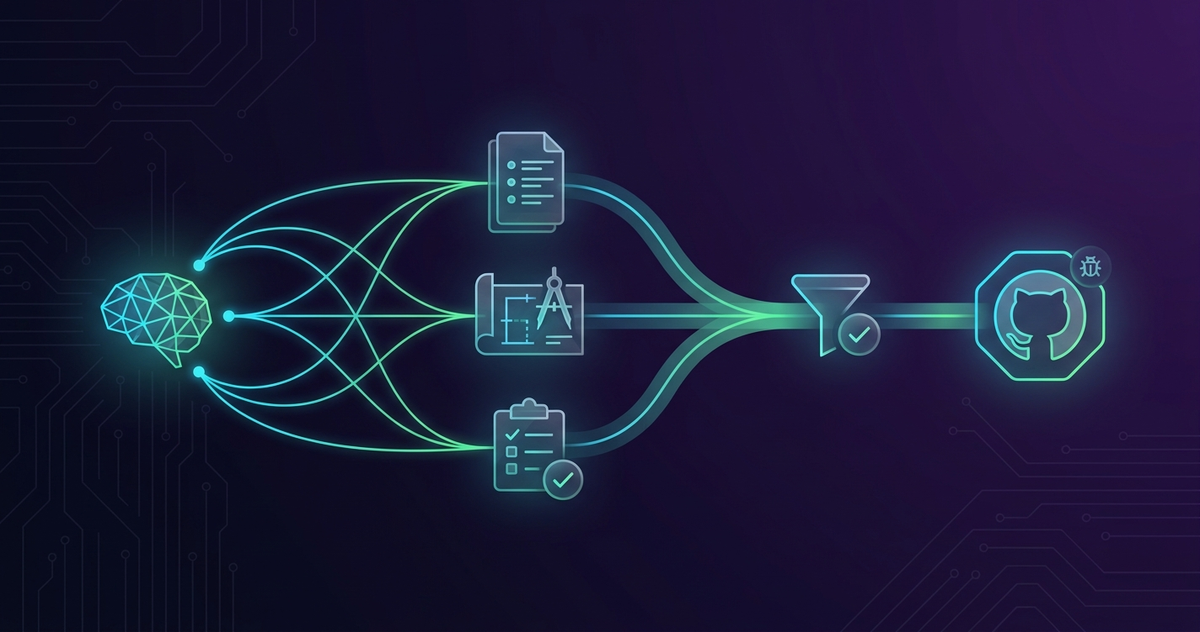
Spec-Driven Development in Practice #2: Generate, Validate, and Register Specs as GitHub Issues
Introduction
This is Part 2 of the agent-skills practical guide (an open-source skill set published by ZenChAIne for Spec-Driven Development). In Part 1 (Setup) we used spec-workflow-init and spec-rules-init to define the "how to move, how to write, how to review" layer of a project. Part 2 builds on that foundation with the three skills that tell the AI what to build: generate, validate, and convert requirements / design / tasks into a GitHub Issue.
Key Takeaways
spec-generatorproduces requirement.md / design.md / tasks.md under.specs/{project}/through dialogue, with options like--quick,--analyze,--deep- The requirement-ID system (
[REQ-XXX]functional,[NFR-XXX]non-functional,[CON-XXX]constraint,[ASM-XXX]assumption,[T-XXX]task) provides traceability across all three files spec-inspectruns 15 quality checks (CRITICAL / WARNING / INFO) covering ID consistency, contradictions, ambiguity, project-rule compliance, and more, then writesinspection-report.mdspec-to-issuereads.specs/{feature}/and usesgh issue createto produce a structured Feature Issue with a checklist body- Each skill suggests the next step through post-completion actions, so "generate → inspect → register" flows when the user confirms each handoff (not a fully unattended chain)
coding-rules.mdfrom Part 1 is automatically referenced duringspec-generator's design phase and inspec-inspect's Check 13- Part 3 (implementation) follows
Why Three Documents (Requirements / Design / Tasks)?
When you hand a feature to an AI agent through free-form prompts, the range of interpretations is huge. "User management" can map to wildly different code depending on where requirements, design, and tasks get split.
agent-skills' spec skills shrink that ambiguity step by step using three files.
| File | Content | Purpose |
|---|---|---|
requirement.md | Functional, non-functional, constraints, assumptions, all ID-tagged | What to build |
design.md | Architecture, technology stack, data model, API design | How to build it |
tasks.md | Implementation tasks with priority and dependencies | In what order |
Requirement IDs ([REQ-XXX] etc.) wire the three files together. Downstream, spec-implement follows those links during implementation.
How Does spec-generator Produce the Three Documents?
spec-generator writes the three-document set into .specs/{project}/ through interactive dialogue or --quick mode.
Install and Invoke
npx skills add anyoneanderson/agent-skills --skill spec-generator -g -yCreate requirements for a todo app
# or
要件定義を作って
On startup the skill auto-detects the current directory and existing .specs/ projects and asks whether to create a new project or extend an existing one.
Four Phases
| Phase | Output | Trigger example |
|---|---|---|
init | requirement.md | "Create requirements" |
design | design.md | "Create design document" |
tasks | tasks.md | "Create task list" |
full | All three | "Create full spec" |
full mode chains the phases: generate requirement.md, read it, generate design.md, read it, generate tasks.md. Each phase feeds the next.
Requirement-ID System
The shared ID conventions provide traceability across files.
[REQ-XXX]: Functional Requirements[NFR-XXX]: Non-Functional Requirements[CON-XXX]: Constraints[ASM-XXX]: Assumptions[T-XXX]: Tasks
design.md references [REQ-001] when describing the architecture, and tasks.md links the same [REQ-001] to [T-005]. spec-inspect enforces this with a CRITICAL severity later.
Useful Options
| Option | Effect | Applicable phase |
|---|---|---|
--quick | Generate directly without dialogue | init |
--deep | Socratic deep-dive dialogue for richer requirements | init |
--personas | Multi-perspective analysis / review through personas | init, design |
--analyze | Analyze existing codebase before generating | init, design, tasks |
--visual | Enhanced Mermaid diagrams | design |
--estimate | Add estimates and risk assessment | tasks |
--hierarchy | Epic / Story / Task hierarchy | tasks |
YAGNI and coding-rules.md Integration
spec-generator builds in the YAGNI principle: unless you explicitly ask, it omits common over-additions like i18n, complex permissions, real-time notifications, and admin dashboards.
It also automatically loads docs/coding-rules.md from Part 1 during the design phase and aligns: naming conventions to [MUST] rules, test strategy to required coverage, library choices to the recommended set, and directory structure to detected patterns.
How Does spec-inspect Validate Spec Quality?
Before piping the output of spec-generator into spec-to-issue, run spec-inspect for a quality gate.
npx skills add anyoneanderson/agent-skills --skill spec-inspect -g -yinspect specs
# or
仕様書を検査
15 Checks by Severity
spec-inspect reads the three spec files and runs 15 checks.
| # | Check | Severity |
|---|---|---|
| 1 | Requirement ID consistency (defined / referenced / coverage) | CRITICAL / WARNING / INFO |
| 2 | Required section presence | WARNING |
| 3 | Cross-document contradictions (tech stack, numbers, APIs) | WARNING |
| 4 | Ambiguous expressions ("appropriately", "as much as possible") | INFO |
| 5 | Terminology consistency (user vs member, etc.) | WARNING |
| 6 | Design-to-task coverage | WARNING |
| 7 | Task dependency validity (cycles, undefined refs) | WARNING |
| 8 | Feasibility warnings | WARNING |
| 9 | Missing requirement detection (auth → no security requirements, etc.) | WARNING |
| 10 | Naming convention consistency | INFO |
| 11 | Directory structure consistency | INFO |
| 12 | Reinvention detection (custom code where a library suffices) | INFO |
| 13 | Project rule compliance (coding-rules.md [MUST] violations) | WARNING |
| 14 | API / UI naming conventions (REST plural / path casing) | WARNING |
| 15 | Documentation update analysis (README / CLAUDE.md, etc.) | INFO |
Results are written to .specs/{project}/inspection-report.md. The console shows a CRITICAL / WARNING / INFO count summary.
coding-rules.md Integration
Check 13 (Project Rule Compliance) cross-references the [MUST] rules from docs/coding-rules.md (generated in Part 1) against the specs. For example, a [MUST] like "TypeScript strict mode required" or "Use Prisma" not reflected in design.md becomes a WARNING.
Do not proceed to implementation with any CRITICAL remaining. The post-completion action of spec-inspect offers "Fix and re-run", "Skip to Issue registration", and "Cancel". Default to "Fix and re-run" until CRITICAL count drops to zero.
How Does spec-to-issue Convert Specs to a GitHub Issue?
spec-to-issue reads .specs/{feature}/ and runs gh issue create to produce a structured Feature Issue with a checklist body. requirement.md is required, tasks.md is recommended, and design.md is optional — after a spec-generator full run you usually have all three in place.
npx skills add anyoneanderson/agent-skills --skill spec-to-issue -g -yCreate issue from spec
# or
仕様書をIssueにして
Configuration Resolution Order
Defaults for labels, base branch, assignee, and so on resolve in this priority:
Command arguments > .specs/.config.yml > CLAUDE.md > Built-in defaultsExample .specs/.config.yml:
default-branch: develop
default-labels: [feature, spec-generated]
project-number: 7
assignee: username
Main Sections in the Generated Issue
- Title: First
#line ofrequirement.md - Overview: From
## Overview - Spec Documents: Direct links to the three files in
.specs/{feature}/(using the selected branch) - Key features: Sections like
### 1.,### 2. - Implementation Checklist: Tasks under each Phase in
tasks.md, converted to GitHub Issue checkboxes - Technology Stack: From
## Technology Stack(if present) - Definition of Done: From
## Definition of Done - Notes: From
## Notes(if present)
Useful Options
| Option | Effect |
|---|---|
--preview | Show the full issue body before creating |
--label "label1,label2" | Comma-separated labels |
--project 7 | Add to a GitHub Project (gh project item-add) |
--branch develop | Base branch used for spec file links |
--assignee username | Set assignee |
The Standard Chained Flow
The three skills are designed to offer the next step through post-completion actions. When you confirm, they hand off into the next skill — so the "chain" is user-confirmed at each step, not unattended.
spec-generator (full)
  ↓ post-action suggests "Run spec-inspect"
spec-inspect
  ↓ post-action suggests "Register Issue" (CRITICAL count = 0)
spec-to-issue
  ↓ Issue number assigned → spec-implement starts
The driver is plain natural language in chat:
Create full spec for an e-commerce platform
# → requirement / design / tasks generated
# → spec-inspect suggested → run → verify CRITICAL = 0
# → spec-to-issue suggested → Issue created
spec-implement (covered in Part 3) consumes the resulting Issue number and .specs/{feature}/ directory and drives the work all the way to a PR.
FAQ
Q. When should I use --quick versus the default dialogue?
A. --quick is for "just give me a starting point" (no dialogue, inferred from best practices). For real product specs use the dialogue mode or --deep (Socratic depth). --analyze is for reverse-engineering an existing codebase.
Q. Can I update an existing .specs/{project}/?
A. Yes. spec-generator detects existing projects on startup and asks whether to extend them. Selecting an existing project loads its prior requirement.md into context for incremental edits.
Q. Can I ignore CRITICAL findings from spec-inspect?
A. The post-action offers "Skip to Issue registration", but it is not recommended. CRITICAL findings typically mean requirement ID mismatches (e.g., design.md references [REQ-005] but requirement.md does not define it), which would cause spec-implement to implement a phantom requirement.
Q. What if gh authentication fails during spec-to-issue?
A. The skill detects it and prompts you to run gh auth login. If you run multiple GitHub accounts, switch to the right one in the GitHub CLI before re-running.
Q. Does this work without coding-rules.md?
A. Yes. spec-generator falls back to default conventions. For spec-inspect's Check 13, the coding-rules.md-specific [MUST] checks are unavailable — however, Check 13 can still use project rules from CLAUDE.md, AGENTS.md, or .claude/ when present. You can run Part 1's spec-rules-init later, then re-run spec-inspect for the full check including [MUST] enforcement.
Q. Should .specs/ be committed to Git?
A. Recommended. requirement.md / design.md / tasks.md are documents you grow through PR review with the team. inspection-report.md is regenerable, so depending on team preference it can be added to .gitignore (or kept in Git if you want to track inspection history).
Summary and What's Next
spec-generator / spec-inspect / spec-to-issue form the "generate → inspect → register" pipeline that converts vague intent into a structured GitHub Issue an AI agent can actually act on. Linked by the requirement-ID system and chained via post-actions, the three turn a single prompt like "Create full spec for an e-commerce platform" into a working Issue.
The coding-rules.md and issue-to-pr-workflow.md from Part 1 pay off here: they shape spec-generator's design phase and feed spec-inspect's project-rule compliance check. This is the core mechanism of Spec-Driven Development — the more your documents grow, the stronger the automation gets.
Part 3 (implementation) covers spec-implement, spec-code, spec-review, and spec-test — how the Issue you produced here gets driven all the way to a PR.